
YT Tools
Ad-skip, boost, speed, loop & PiP for YouTube.
YouTube helper extensions can't be listed on the Chrome Web Store, so this one is a direct download.
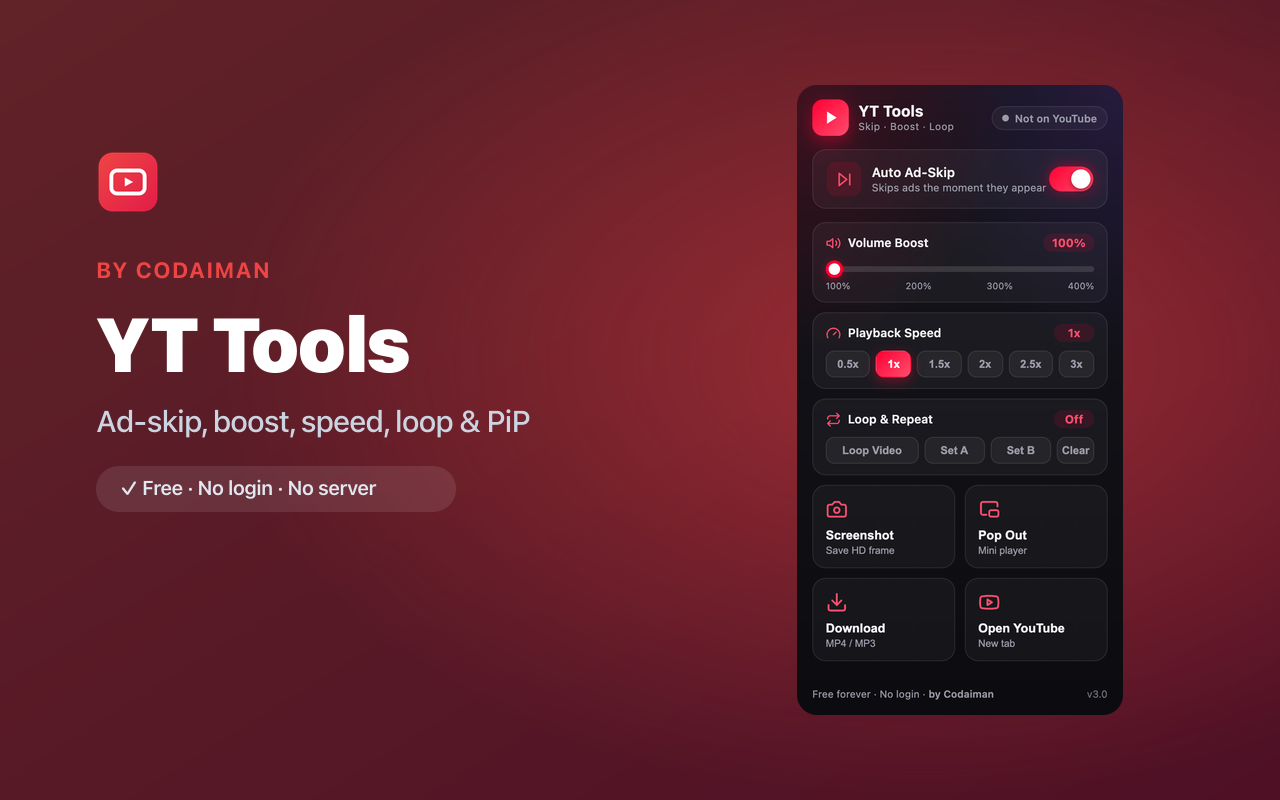
About YT Tools
YT Tools packs the YouTube upgrades power users want into one extension: auto ad-skip, volume boost past 100%, fine-grained speed control, A-B section looping, one-click HD screenshots, and picture-in-picture. It makes watching, studying and clipping on YouTube dramatically better.
Because YouTube helper extensions aren't allowed on the Chrome Web Store, YT Tools is a direct download you install yourself. The core features run right in your browser.
Features
Auto ad-skip
Skips skippable ads the moment they appear so you keep watching.
Volume boost
Push volume beyond 100% for quiet videos.
Speed control
Fine-tune playback speed beyond YouTube's presets.
A-B loop
Set a start and end point to loop a section — great for learning.
HD screenshots
Grab a clean, high-resolution frame from any video.
Picture-in-picture
Pop the video out into a floating mini-player while you work.
How to use YT Tools
- 1Download the .zip and load it in Chrome via Developer mode (steps below).
- 2Open YouTube — the YT Tools panel is available from the toolbar.
- 3Toggle ad-skip, set volume boost, speed or an A-B loop.
- 4Use HD screenshot or picture-in-picture whenever you need them.
Installing the download
This extension is a self-hosted download, so it installs via Chrome's Developer mode.
- 1Download the .zip and unzip it to a folder you'll keep.
- 2Open chrome://extensions in Chrome.
- 3Turn on “Developer mode” (top-right toggle).
- 4Click “Load unpacked” and select the unzipped folder.
Perfect for
- Skip ads and boost quiet videos automatically
- Loop a section of a tutorial or song to learn it
- Grab HD frames or keep a video floating while you multitask
Frequently asked questions
Why is this a download instead of a store install?
YouTube helper extensions are restricted by Chrome Web Store policy, so YT Tools is offered as a direct, self-hosted download.
Does it really skip ads?
It auto-skips skippable ads as soon as the skip becomes available, so you spend less time waiting.
Is it free?
Yes, the core tools are free with no login — a Codaiman product.



Get YT Tools — free
A free, self-hosted browser extension by Codaiman. Download, load it in Chrome, and you're set.
Download (.zip) — Free